Document Templates
CloudHR Document Templates module allows HR teams to create reusable document formats such as Offer Letters, Experience Letters, Appointment Letters, and more.
These templates use dynamic placeholders to automatically populate employee data when generating documents.
How to Access Document Templates
- Log in to the CloudHR Admin Dashboard.
- From the left sidebar, click on Organizations.
- Navigate to Document from the top menu.
- Finally, click on the Templates from the sub menu to see the templates list.
You will now see the Templates listing page.
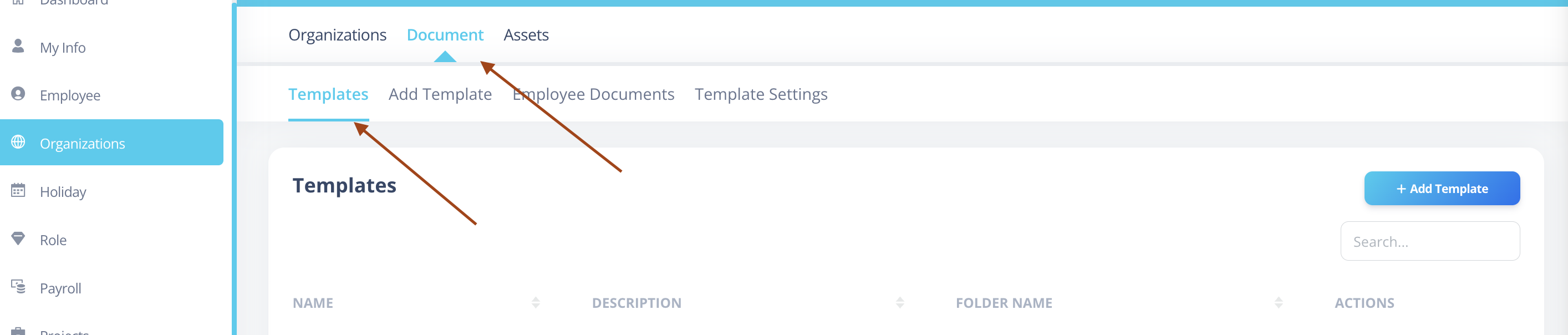
Templates Listing Page
On this page, you can:
- View all existing templates
- Search templates
- Edit existing templates
- Delete templates
- Add a new template
To create a new template, click on the + Add Template button in the top-right corner.
Adding a New Template
Open Add Template
Click on + Add Template.
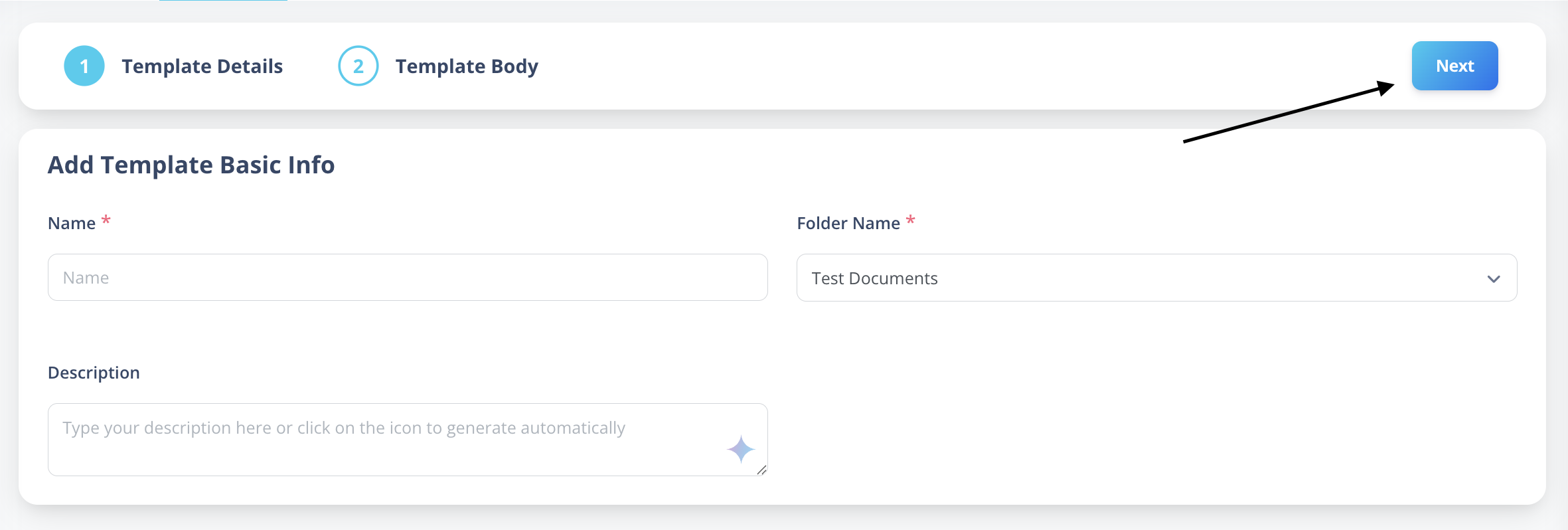
You will be redirected to the template creation screen.
Fill in Template Details
The screen is divided into two main sections:
1️⃣ Template Details
Fill in the following fields:
- Name – Enter the template title (e.g., "Offer Letter").
- Folder Name – Select or create a folder for organizing templates.
- Description – Add a short explanation about the template.
2️⃣ Template Body
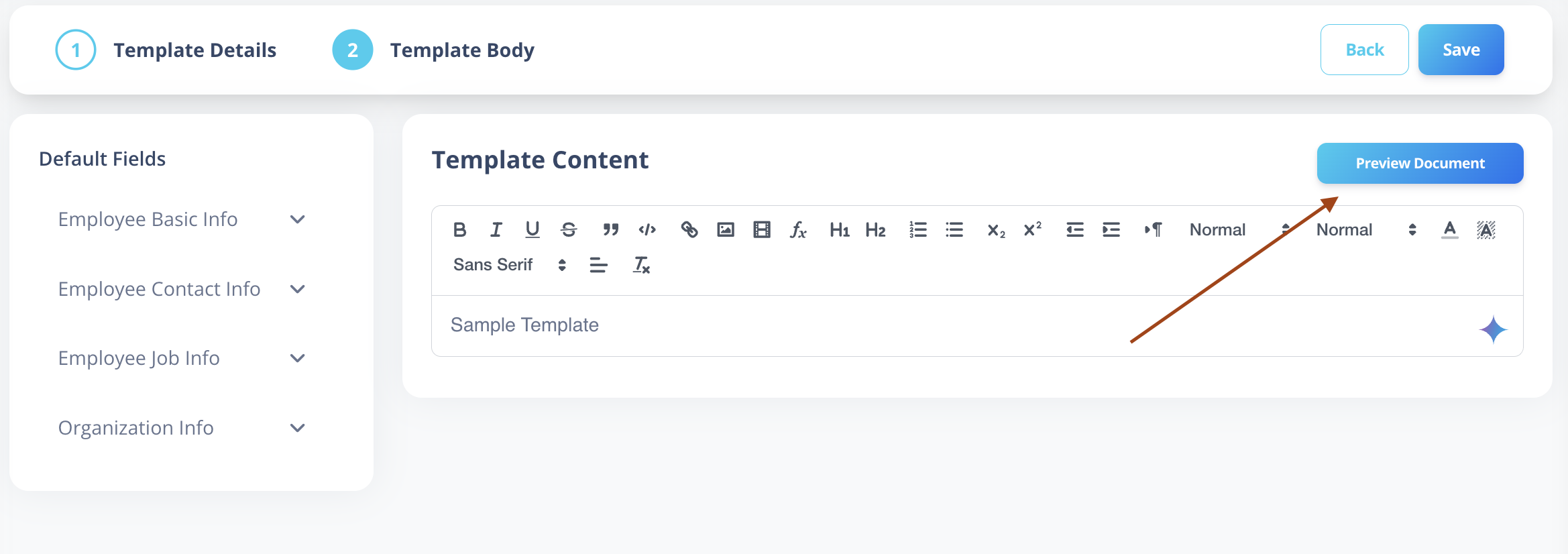
This is where you create the document content.
Default Fields (Left Panel)
The left-side panel contains dynamic placeholders grouped under categories such as:
- Employee Basic Info (First Name, Last Name, etc.)
- Work Information
- Salary Information
- Other system fields
To insert a placeholder:
- Click on the desired field.
- It will automatically insert into the content area.
Example:
Dear {First Name} {Last Name},
AI Assistant (Optional)
You can use the built-in AI tool to generate professional document content based on your inputs.
This helps speed up template creation and ensures consistent formatting.
Preview and Save
- Click Preview Document to see how the document will look with sample data.
- If everything looks correct, click Save.
Your template will now be available in the Templates list.
Why Use Document Templates?
- Standardized HR documentation
- Reduced manual effort
- Faster document generation
- Improved accuracy using dynamic fields
- Professional formatting across the organization