Contact Support
If you encounter any issue while using the platform, you can raise a support request directly from the application.
Open Contact Support
- Go to the left-side navigation bar.
- Scroll to the bottom.
- Click on Contact Support.
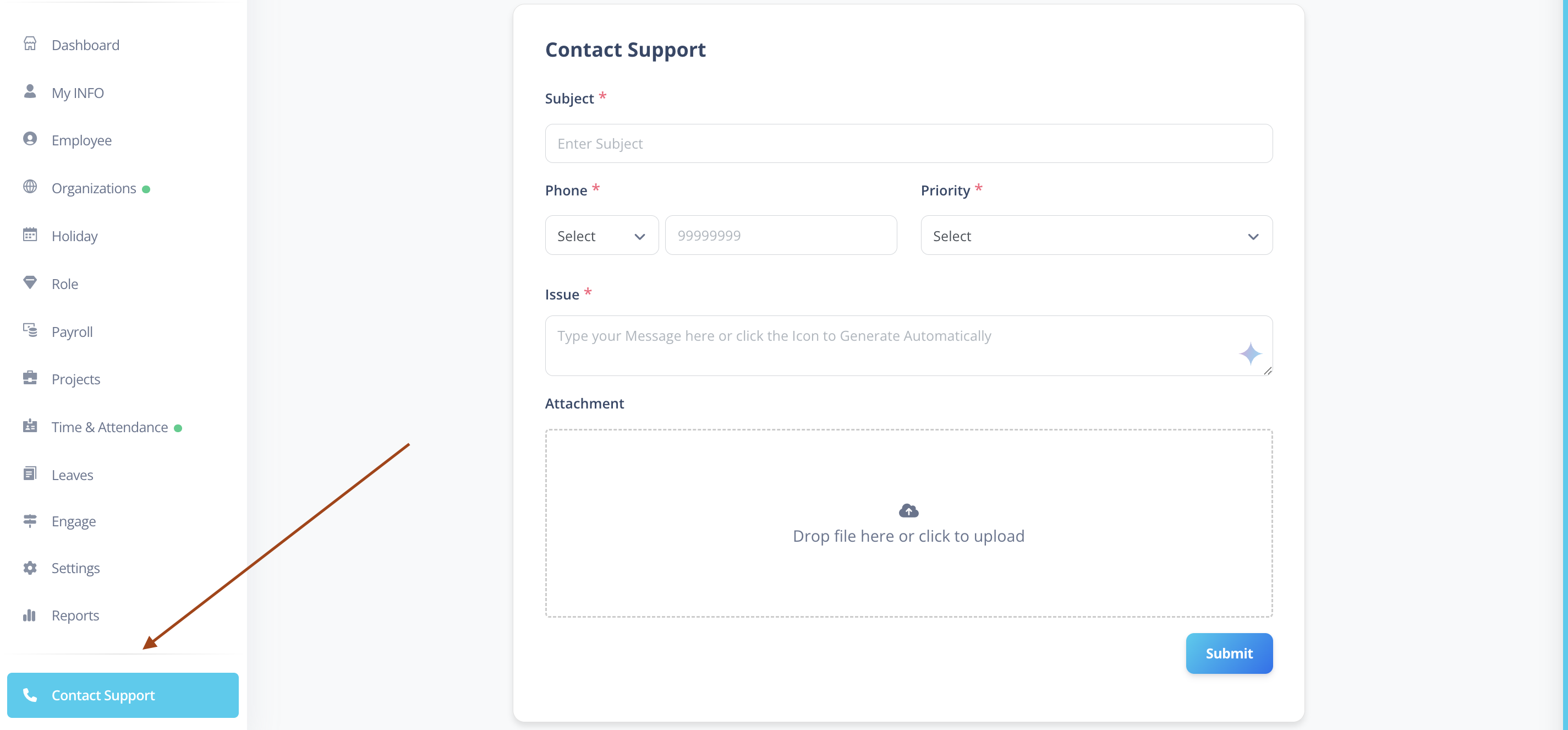
You will now see the Support Request Form.
Support Request Form Fields
Below are the details required to raise a support request:
1️⃣ Subject
Enter a short and clear title describing your issue.
Example:
- Unable to apply leave
- Payroll report not generating
- Attendance mismatch issue
2️⃣ Phone
- Select your Phone Country Code
- Enter your phone number
This helps the support team reach you if clarification is needed.
3️⃣ Priority
Select the appropriate priority level from the dropdown:
- Low – Minor issue, not urgent
- High – Important issue affecting work
- Immediate – Needs urgent attention
- Critical – System-level issue or blocking major functionality
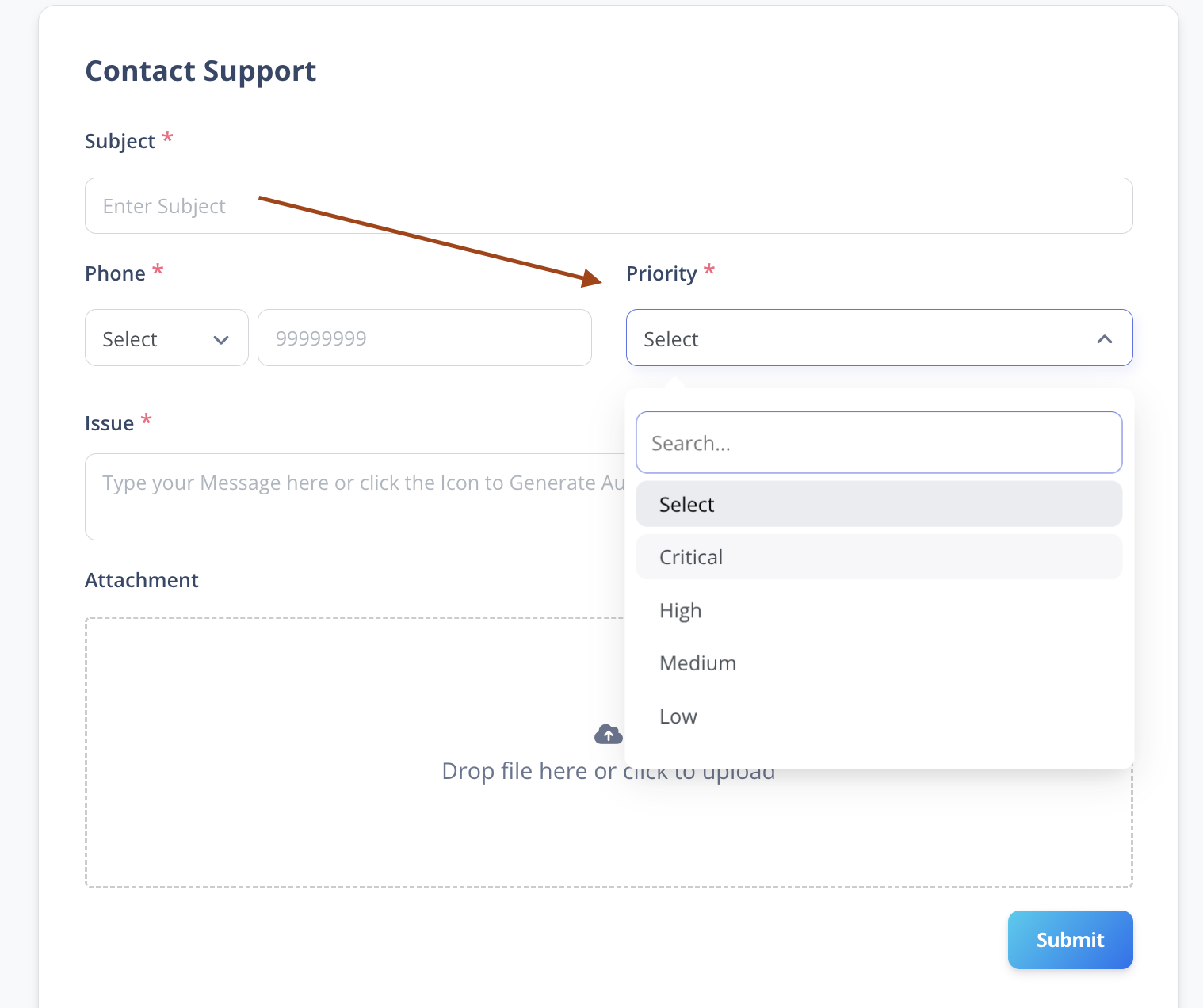
Choose the priority level wisely. Selecting Critical for minor issues may delay response for genuinely urgent cases.
4️⃣ Issue
In the Issue field:
- Type a detailed explanation of the problem.
- Mention steps to reproduce the issue (if applicable).
- Include expected vs actual behavior.
The more details you provide, the faster the support team can assist you.
5️⃣ Attachment
You can attach supporting files such as:
- Screenshots
- Short screen recordings
- Supporting documents
Attachment Rules
- Maximum 4 attachments
- Avoid uploading large video files
- Keep video recordings short and focused on the issue
- Large video files may delay submission.
- Short, clear recordings help resolve issues faster.
- Always remove any sensitive information before uploading attachments.
Final Step
After filling in all required details:
- Review the information.
- Click on the Submit button.
Your support request will be successfully created.
You will be contacted by the support team based on the selected priority.
Best Practices When Raising a Support Ticket
- Mention the exact module where the issue occurred.
- Include timestamps if related to attendance or payroll.
- Attach a screenshot whenever possible.
- Provide steps to reproduce the issue.