Document Folders
The Document Folders section allows HR teams to organize and manage employee documents in a structured and secure way.
Folders help categorize documents such as:
- ID Proofs
- Offer Letters
- Salary Slips
- Compliance Documents
- Contracts
How to Access Document Folders
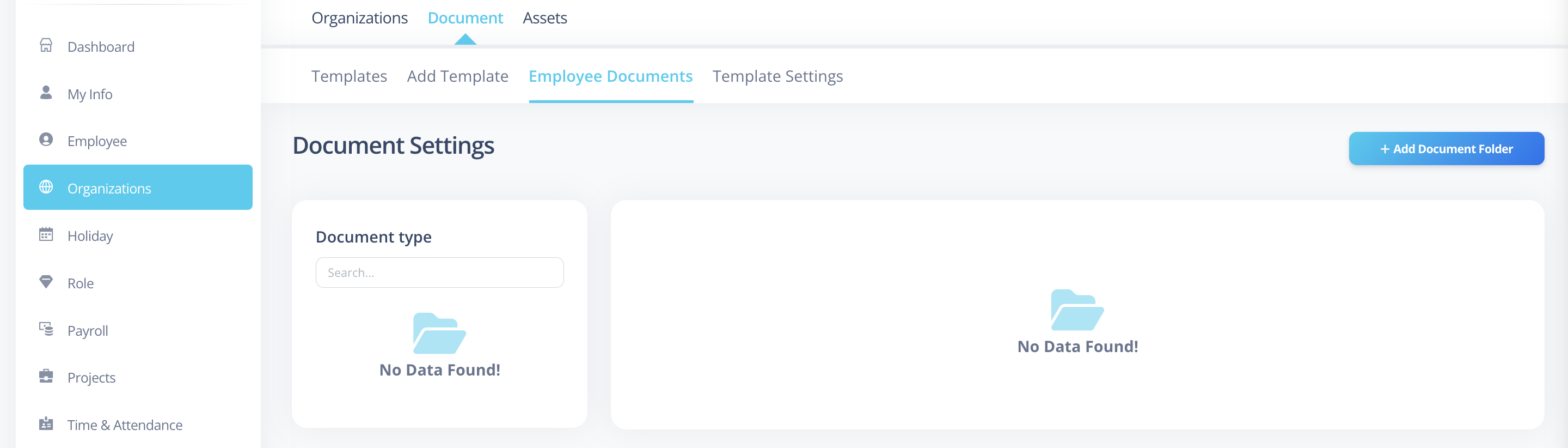
- Go to Organizations from the sidebar.
- Click on Document from the top menu.
- Then Click on Employee Documents from the sub menu.
You will now see the Document Folders management screen.
Understanding the Layout
The screen is divided into two main sections:
Left Section – Document Types
Here you can:
- View all existing document folders
- Search folders
- Edit folder settings
Right Section – Add Document Folder
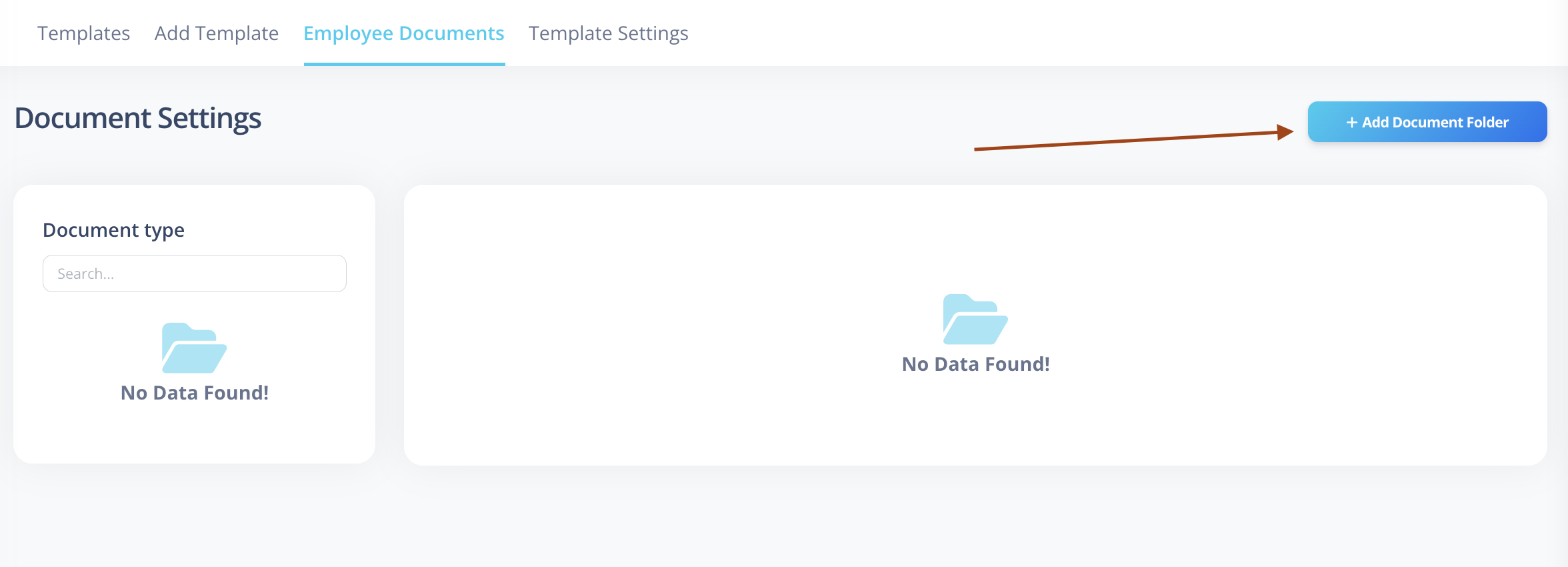
To create a new folder:
- Click on
Add Document Folder. - A side panel form will appear.
Creating a New Document Folder
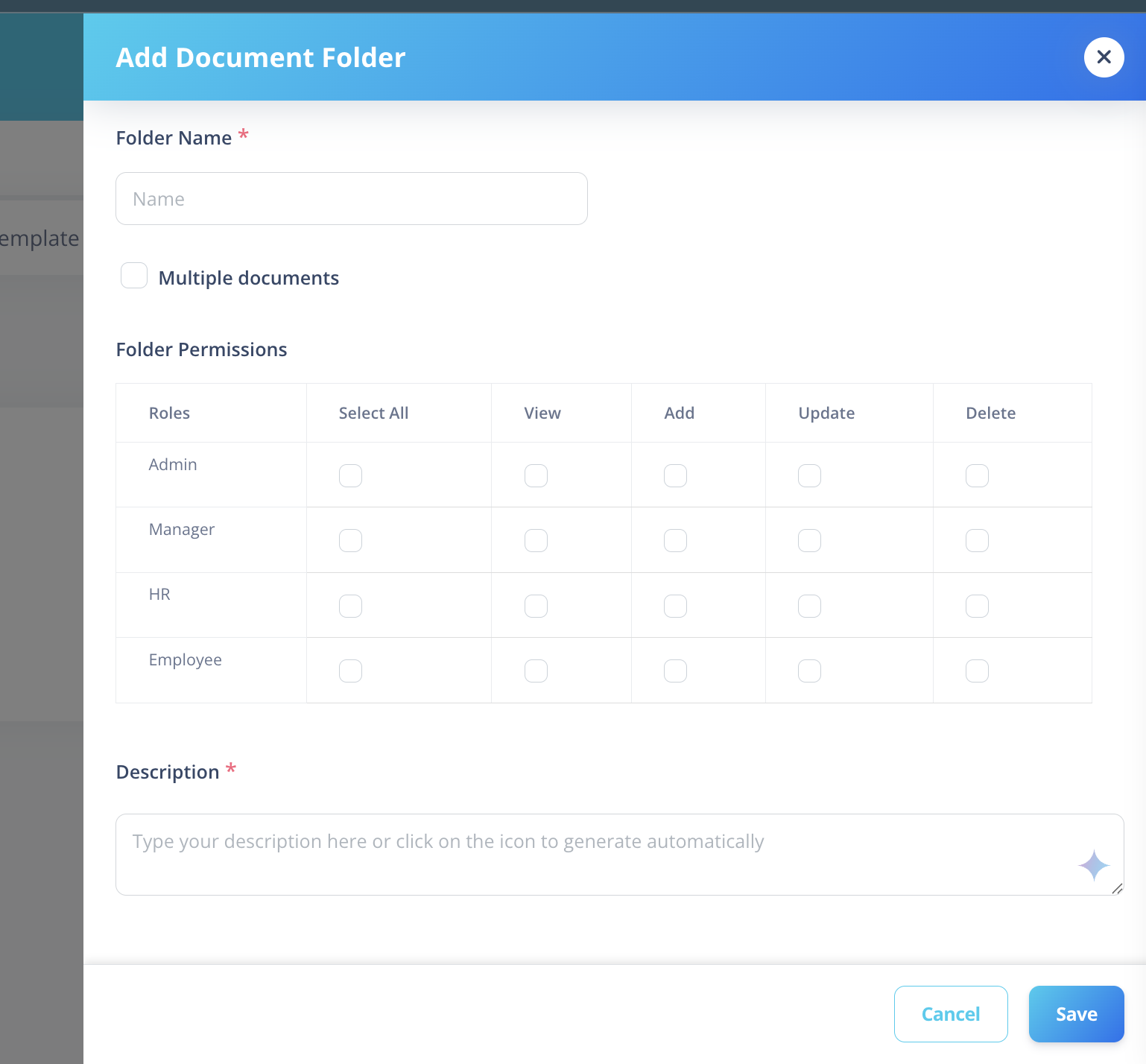
Fill in the following details:
Name
Provide a clear folder name (e.g., "Employee Contracts").
Multiple Documents (Checkbox)
Enable this option if employees are allowed to upload more than one document inside this folder.
- If enabled → Users can upload multiple documents in the same folder.
- If disabled → Only one document will be allowed per user in this folder.
- Disabling this is useful for documents like PAN Card, Aadhaar, Signed Offer Letter, etc., where only one valid document should exist.
Folder Permissions
Folder permissions allow you to control who can access and manage documents within a specific folder.
This ensures that only authorized personnel can view or perform actions on documents inside the folder.
Permission Matrix
For each role, configure the required permissions:
| Role | Select All | View | Add | Update | Delete |
|---|---|---|---|---|---|
| Admin | ☐ | ☐ | ☐ | ☐ | ☐ |
| Manager | ☐ | ☐ | ☐ | ☐ | ☐ |
| HR | ☐ | ☐ | ☐ | ☐ | ☐ |
| Employee | ☐ | ☐ | ☐ | ☐ | ☐ |
Permission Definitions
- View – Allows users to see the folder and its documents.
- Add – Allows users to upload new documents to the folder.
- Update – Allows users to edit or replace existing documents.
- Delete – Allows users to permanently remove documents.
- Select All – Grants all permissions (View, Add, Update, Delete) for that role.
How Permissions Work
- Permissions are assigned per folder.
- If a role is granted access, all users under that role inherit the same permissions.
- User-level permissions can be used to override or extend role-based access when necessary.
Description (Optional)
Add notes or additional details about the folder.
Save the Folder
After filling in the details:
- Click Save.
The new folder will now appear in the Document Folders list.
Benefits of Using Document Folders
- Structured document organization
- Secure role-based access
- Controlled document uploads
- Easy retrieval and management
- Improved compliance tracking