Engage
The Engage module enables internal communication and collaboration across the organization.
Users can create:
- Posts
- Announcements
- Polls
- Praise
It functions as an internal social platform designed for structured and professional workplace interaction.
Creating Content
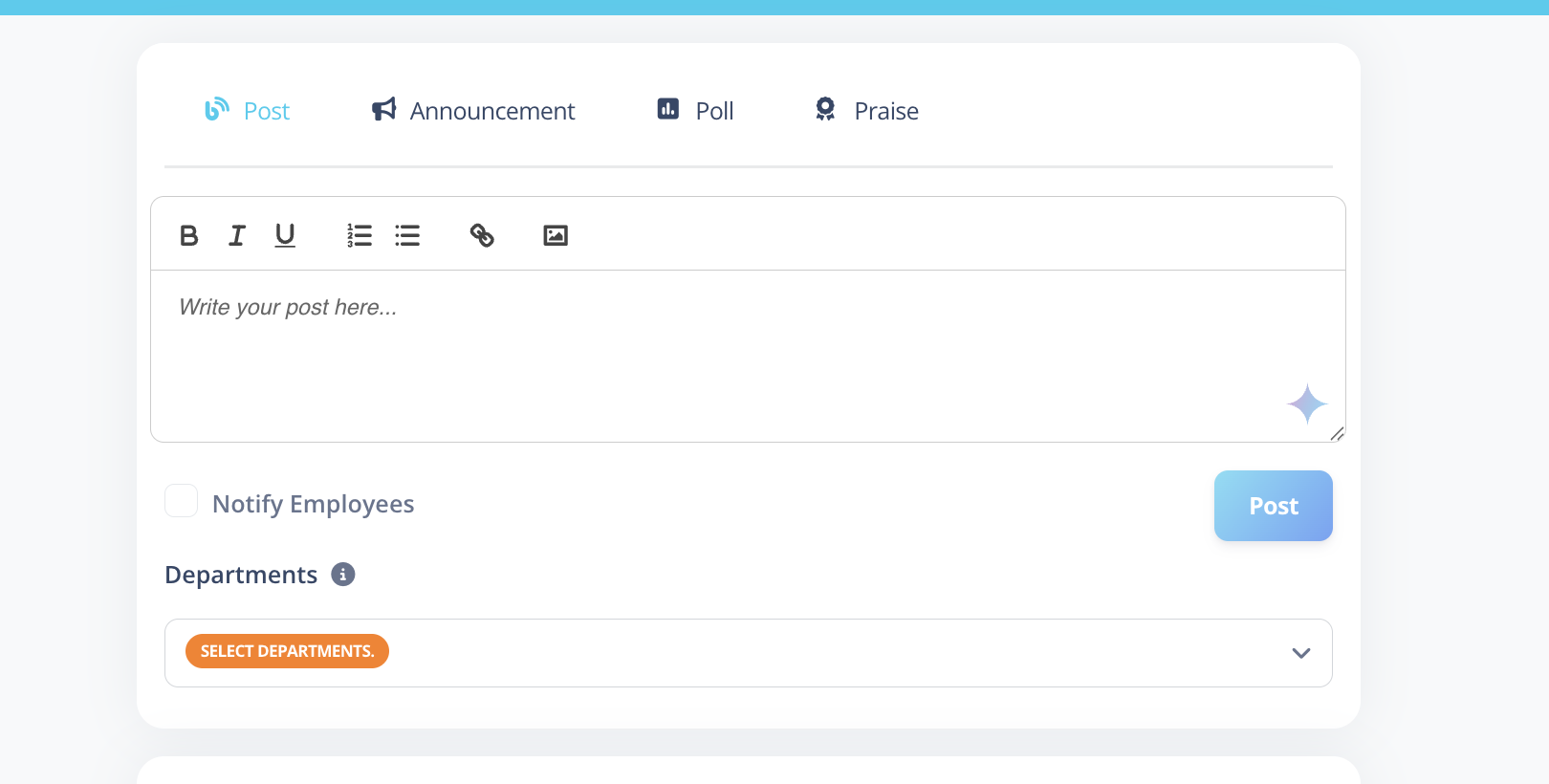
At the top of the Engage page, users will find a creation card with the following options:
- Post
- Announcement
- Poll
- Praise
Each content type is visually identified using badges on the post card.
Department Selection
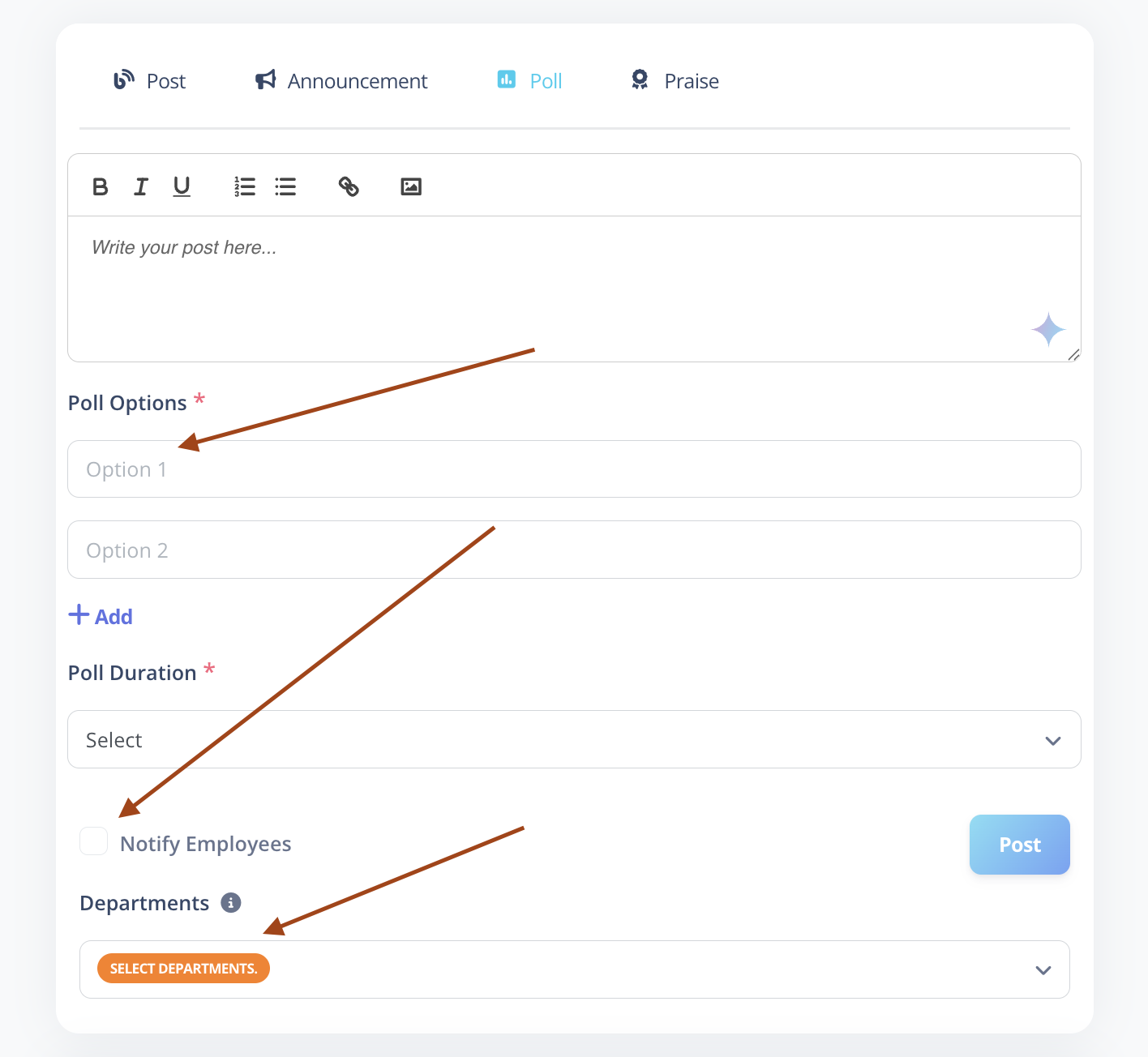
Department selection is optional while creating content.
- If selected, the content becomes department-specific.
- If not selected, the content is visible organization-wide.
Once a department is assigned during creation, it cannot be edited later.
Notify Employees
A “Notify Employees” checkbox is available while creating content.
- When enabled, employees receive an email notification.
- Applicable for Posts, Announcements, Polls, and Praise.
Email notifications are sent only at the time of creation.
Content Types
1️⃣ Posts
Standard posts for sharing updates, ideas, or information.
Media Support
- Photos and videos can be added while creating the post.
- After publishing:
- Text can be edited unlimited times.
- An “Edited” label appears when changes are made.
Photos and videos cannot be edited or replaced after posting.
If incorrect media is uploaded, delete the post and recreate it.
2️⃣ Announcements
Announcements are used for important or official communication.
Special Behavior
- On the Dashboard Engage card, recent announcements are displayed at the top.
- On the main Engage board, announcements appear like regular posts but include an Announcement badge.
Use Announcements for critical updates that require higher visibility.
3️⃣ Praise
Praise posts are used for employee recognition and appreciation.
- Can be department-specific or global.
- Clearly labeled with a Praise badge.
4️⃣ Polls
Polls help gather feedback and opinions from employees.
Poll Configuration
- Maximum 4 options allowed.
- Duration options:
- 1 Day
- 3 Days
- 1 Week
- 2 Weeks
- Custom Date Range
Voting Rules
- Users can switch their vote while the poll is active.
- Voting is disabled once the poll duration ends.
- Poll results remain visible after completion.
Votes cannot be modified once the poll duration has expired.
Engagement Features
Users can:
- Like posts
- Comment on posts
- Reply to comments
- Like comments
- Like replies
Interaction behavior is similar to modern social platforms.
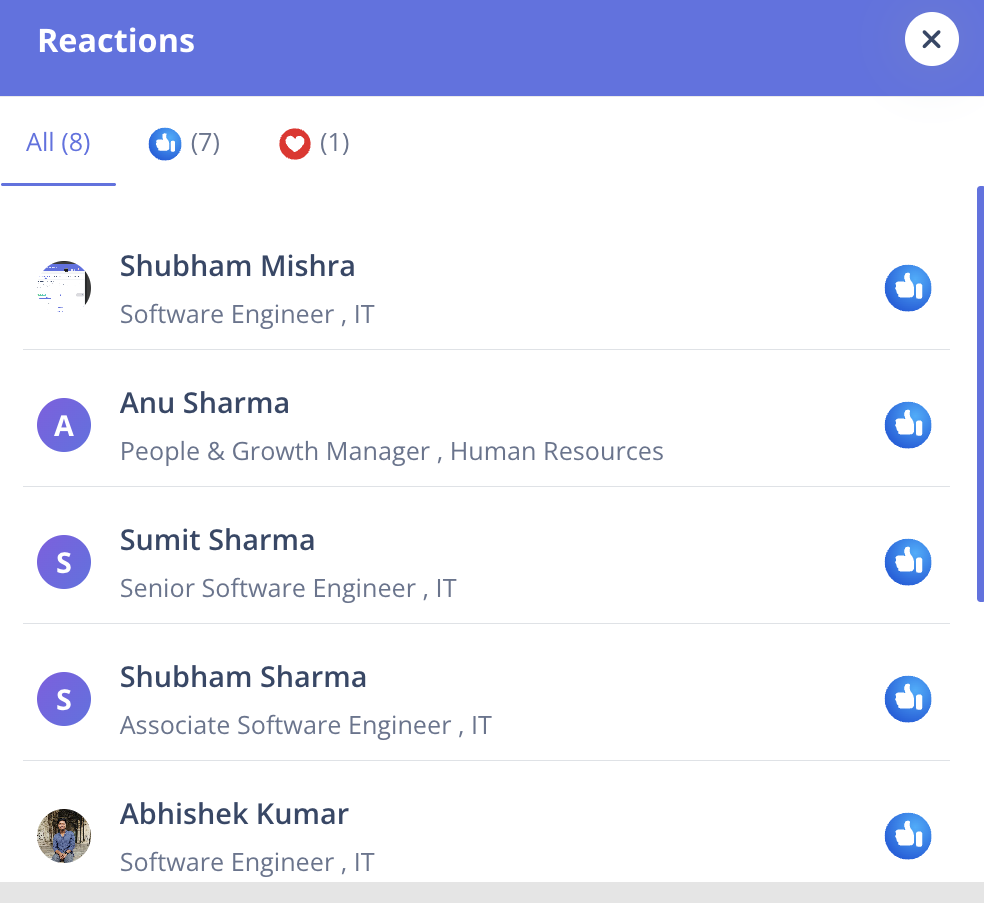
Viewing Reactions
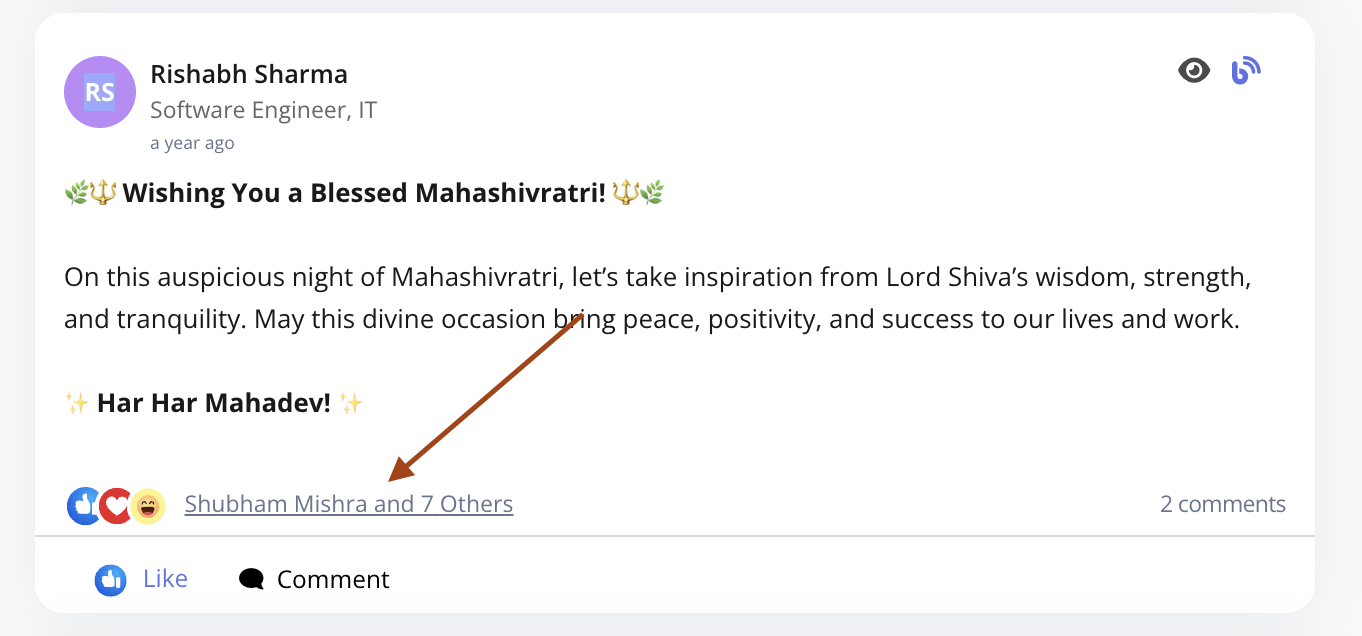
- Clicking on post reactions opens a modal displaying:
- List of users who reacted.
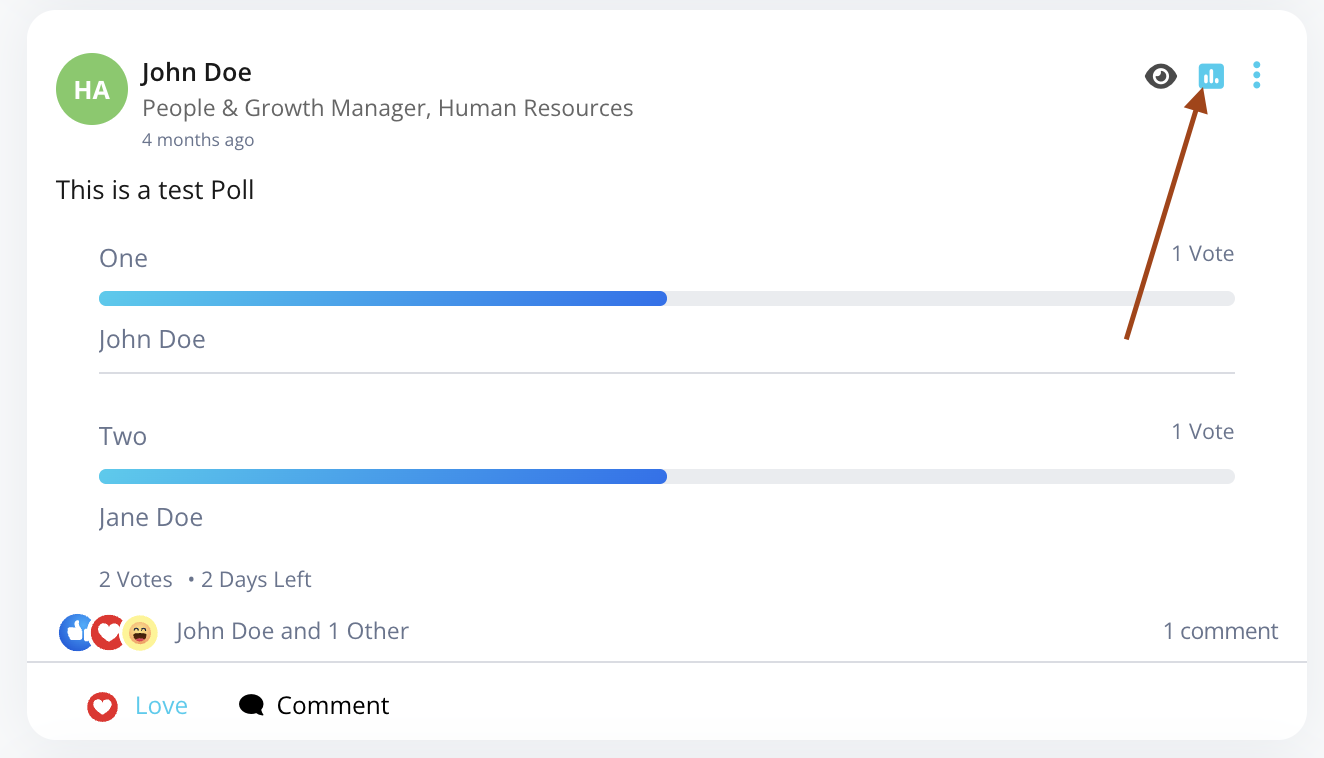
- Clicking on poll vote counts opens a modal displaying:
- User names
- Selected poll options
Post Actions
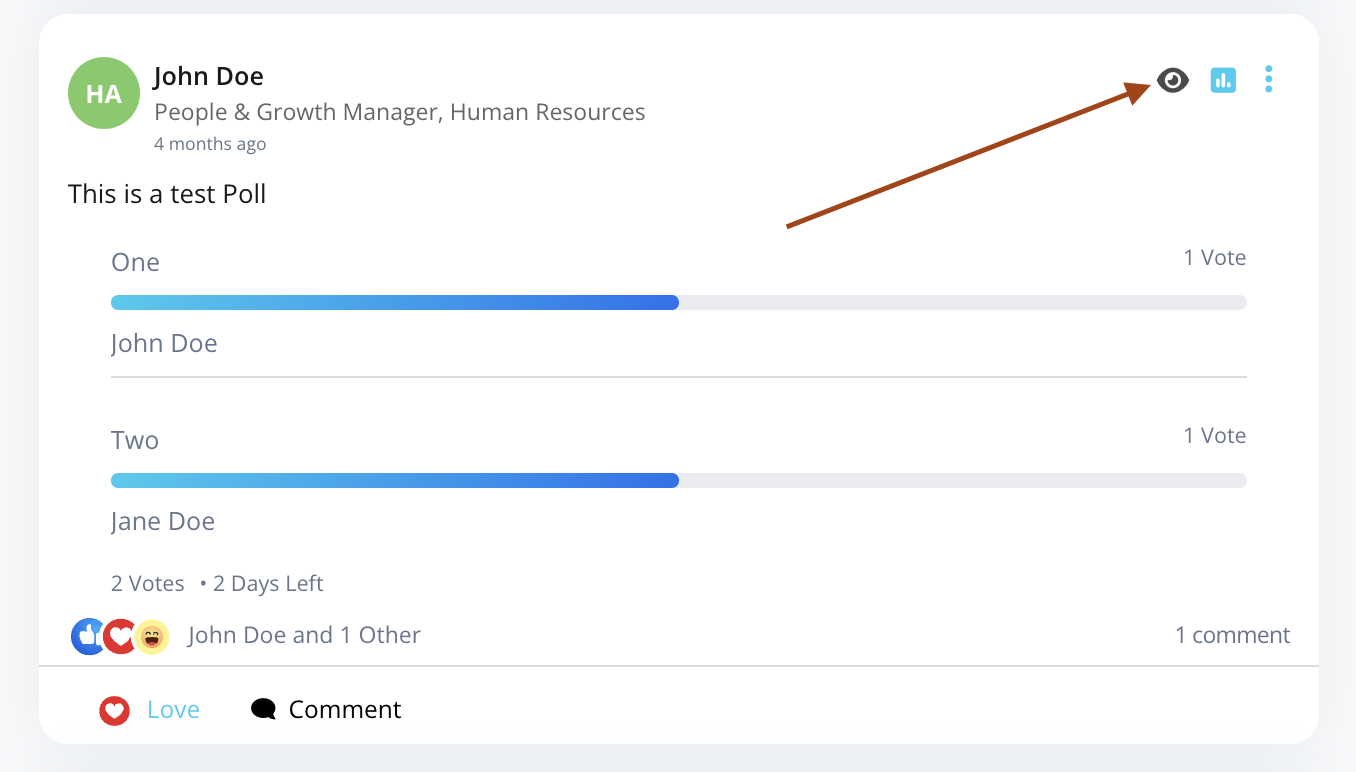
Each post card includes:
-
View
Opens a dedicated full post view page. -
More Options
Opens a dropdown menu with:- Edit (Text only)
- Delete
Permissions
Regular Users
- Can create Posts, Announcements, Polls, and Praise.
- Can delete their own posts.
- Can delete their own comments.
- Can edit post text unlimited times.
Admin / HR
- Can view all posts across all departments.
- Can delete any post.
- Can delete any comment.
- Have full moderation control.
Visibility Rules
-
Regular users see:
- Organization-wide posts
- Posts from their assigned department
-
Admin/HR users see:
- All posts across all departments
Dashboard Behavior
On the main dashboard:
- The Engage card displays recent announcements at the top.
- Other posts are accessed via the Engage board.
Best Practices
- Use Announcements for official or high-priority communication.
- Use Polls to encourage engagement and gather quick feedback.
- Keep posts concise and professional.
- Enable "Notify Employees" when the update requires immediate attention.