Personal Details
The Personal Details section in CloudHR stores employee-specific personal and contact information.
This information is critical for:
- Communication
- Compliance
- Emergency handling
- Profile enrichment
Section Structure
The Personal Details form is divided into:
- Personal Information
- Emergency Contact
- Socials
- Skills
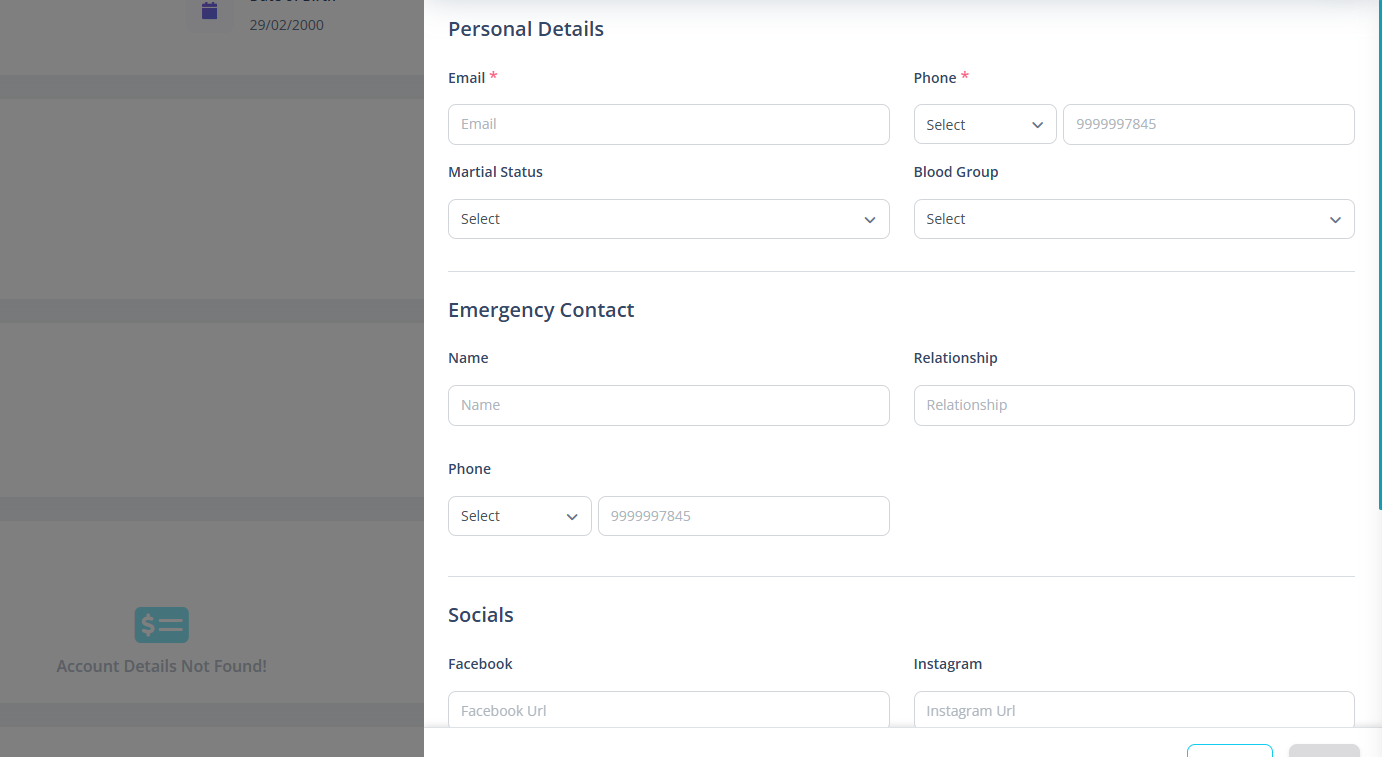
1️⃣ Contact Information
Includes:
- Personal Email
- Phone Code
- Phone Number
Validation Rules
- Email is required
- Email must be valid format
- Email must be unique in system
- Phone number:
- Required
- Cannot start with 0
- Must be 8–12 digits
- Phone code required if phone provided
Email availability is checked before saving.
2️⃣ Personal Information
Includes:
- Marital Status
- Marriage Date (shown only if married)
- Blood Group
3️⃣ Emergency Contact
Captures emergency contact details:
- Name
- Relationship
- Phone Code
- Phone Number
Validation Behavior
Emergency phone is optional.
If phone is entered:
- Must follow phone format rules
- Phone code becomes mandatory
4️⃣ Social Media Links
Supported platforms:
- Twitter (X)
Validation Rules
- Must be valid URL format
- Must contain correct domain:
- facebook.com
- instagram.com
- linkedin.com
- x.com
URLs are automatically formatted before saving.
5️⃣ Skills
Two skill categories:
Key Skills
Primary technical or role-based skills.
Other Skills
Additional competencies.
Skill Rules
- Added manually
- Press Enter or click +
- Duplicate skills are prevented
- Skills are converted to lowercase
- Can be removed individually
Why This Section Matters
Accurate personal details ensure:
- Proper emergency handling
- Accurate employee directory
- Better workforce profiling
- Reduced HR follow-ups