General Settings
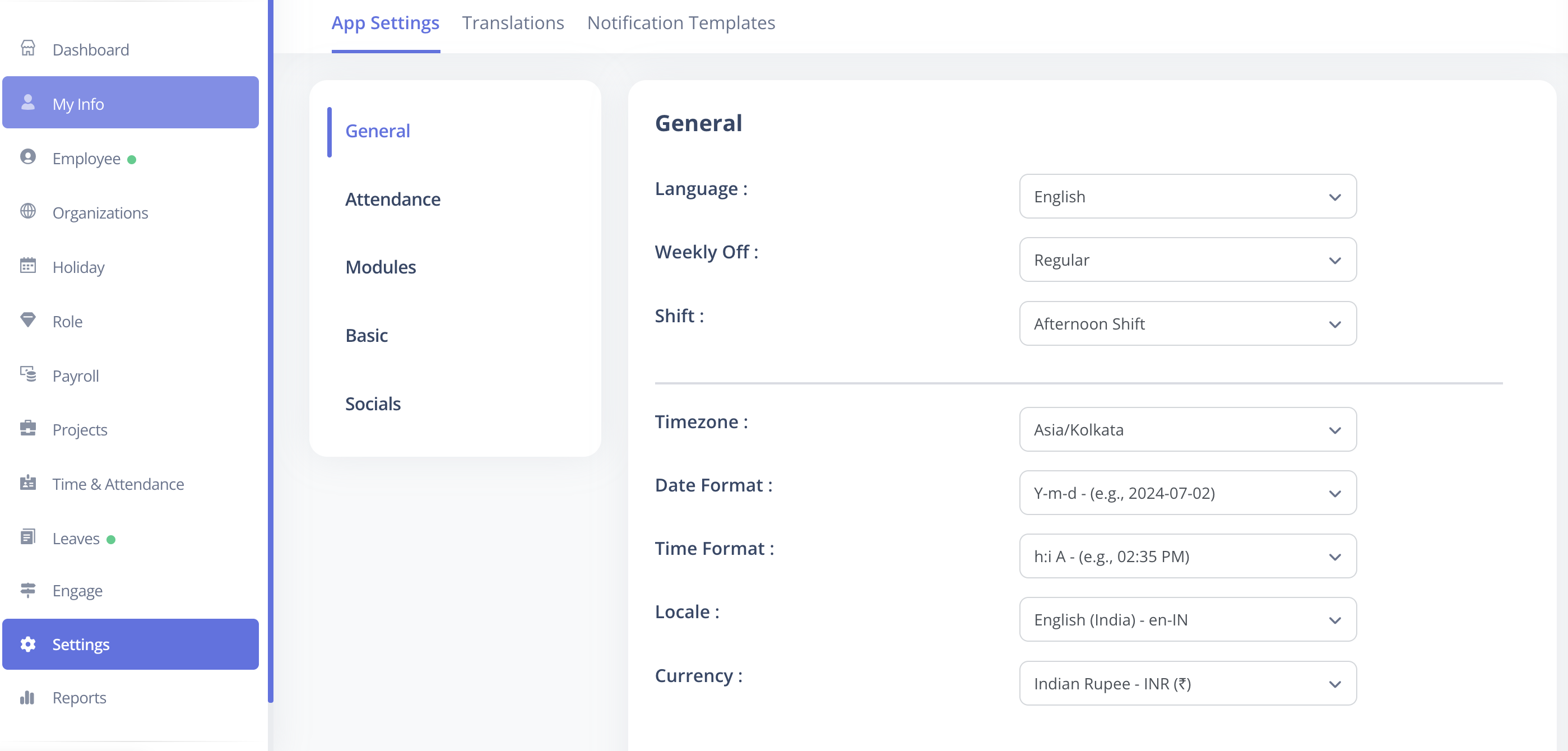
The General Settings section in CloudHR allows configuring global defaults for your organization.
These settings control language, date and time formats, locale, currency, and default options for shifts and weekly offs.
What You Can Configure
- Language – Default language for the application.
- Shift – Default shift options for employees.
- Weekly Off – Default weekly off configuration.
- Timezone – Regional timezone for the organization.
- Date Format – Display format for dates (e.g., DD/MM/YYYY).
- Time Format – 12-hour or 24-hour format.
- Locale – Regional settings for formatting numbers, dates, etc.
- Currency – Default currency for all financial or payroll calculations.
How to Update General Settings
- Log in to CloudHR as an Admin.
- Navigate to Settings → General.
- Update desired fields using the dropdowns.
- Click Save to apply changes.
Best Practices
- Choose a language and locale consistent with your workforce.
- Configure date and time formats to match your operational region.
- Ensure default shift and weekly off settings align with company policies.