Assign Overtime Policy to Employees
You can assign Overtime Policies to employees in CloudHR to ensure correct overtime rules and calculations are applied.
How to Assign an Overtime Policy
- Log in to CloudHR.
- Navigate to Employees
- Search the employee table and click the View ( ) icon (in the actions column) for the desired employee.
- Go to Job Details
- Click the Edit ( ) icon.
- Scroll down to the Time and Attendance section.
- Locate the Overtime Policy dropdown.
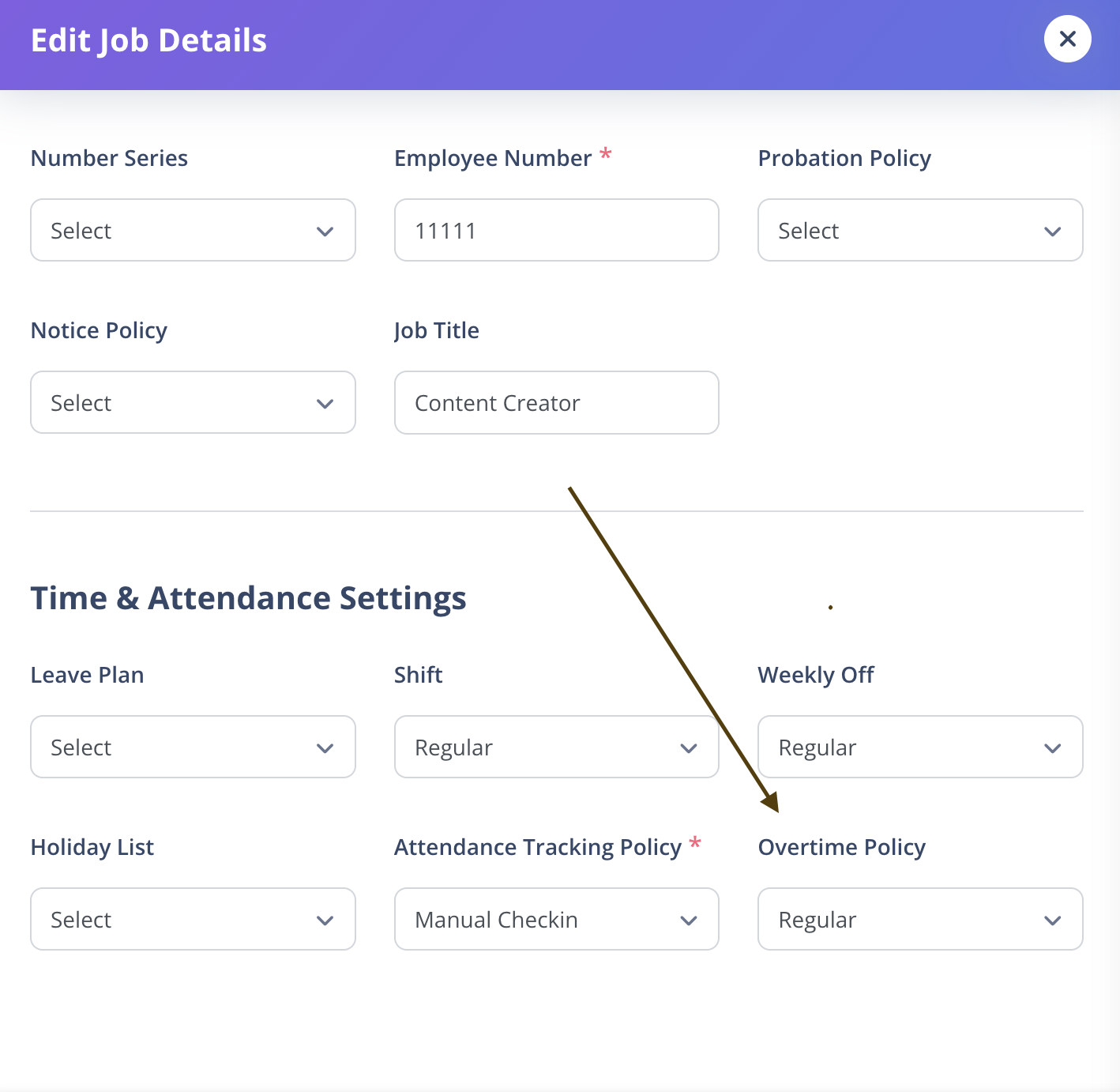
- Search and select the desired active overtime policy from the list.
- Click Save to assign the policy.
Important Notes
- Only active overtime policies will appear in the dropdown.
- The dropdown supports search to quickly find a policy.
- Assigning an overtime policy automatically applies its overtime rules, rate multipliers, and eligibility settings to the employee.
- Updating the overtime policy later does not retroactively recalculate previously approved overtime entries.