Project Management
Projects represent client work, internal initiatives, or structured assignments.
Clicking on a project opens its detail view where you can:
- View tasks
- View project members
- Track progress
- Monitor status
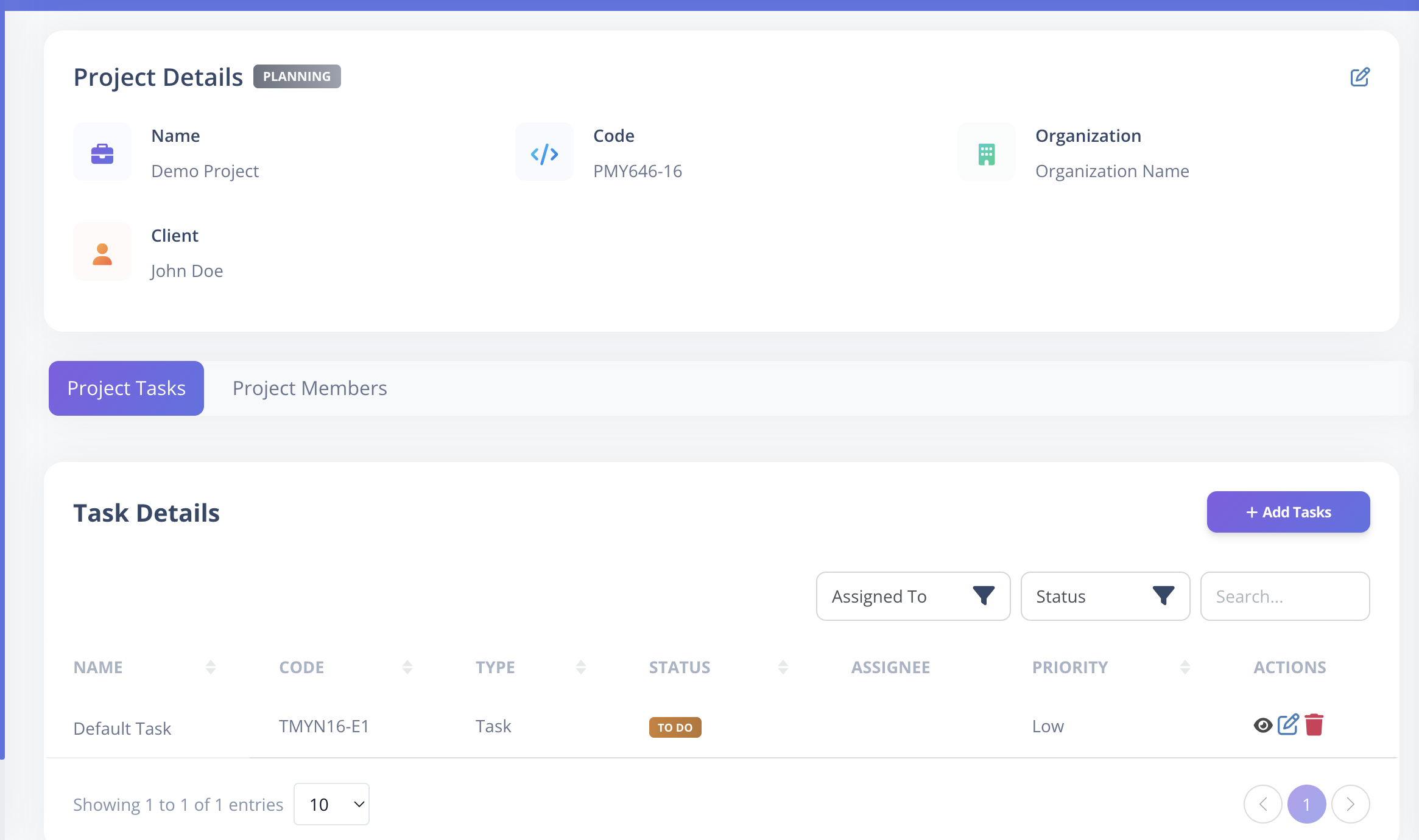
Project Details
Project Fields
| Field | Description |
|---|---|
| Name | Unique project name within the same organization |
| Status | Planning, To Do, In Progress, Completed |
| Description | Project summary |
| Start Date | Optional project start date |
| End Date | Optional end date (must be after start date) |
| Client Name | Client associated with project |
| Organization | Organization to which the project belongs |
| Billable | Marks whether project work is billable |
| Public | Controls project visibility |
| Project Managers | Assigned managers |
| Project Members | Assigned team members |
Project Status Options
- Planning
- To Do
- In Progress
- Completed
Public vs Private Projects
Public Project
- Visible to all employees.
Private Project
- Visible only to assigned Project Managers and Members.
Project View Page
When you open a project (click on the project's name or use the eye icon in the actions column):
- You can see all tasks under it.
- You can view assigned members.
- You can monitor task statuses.