Login Module
The Login Module allows administrators and HR to:
- Invite employees to the system
- Manage login access
- Track successful logins
- Monitor failed login attempts
- Export login reports
- View login location details
This module improves security visibility and user access management.
Login Module Structure
The Login module contains 3 tabs:
- Login Registrations
- Login History
- Failed Logins

Tabs are shown only if the user has permission.
1️⃣ Login Registrations
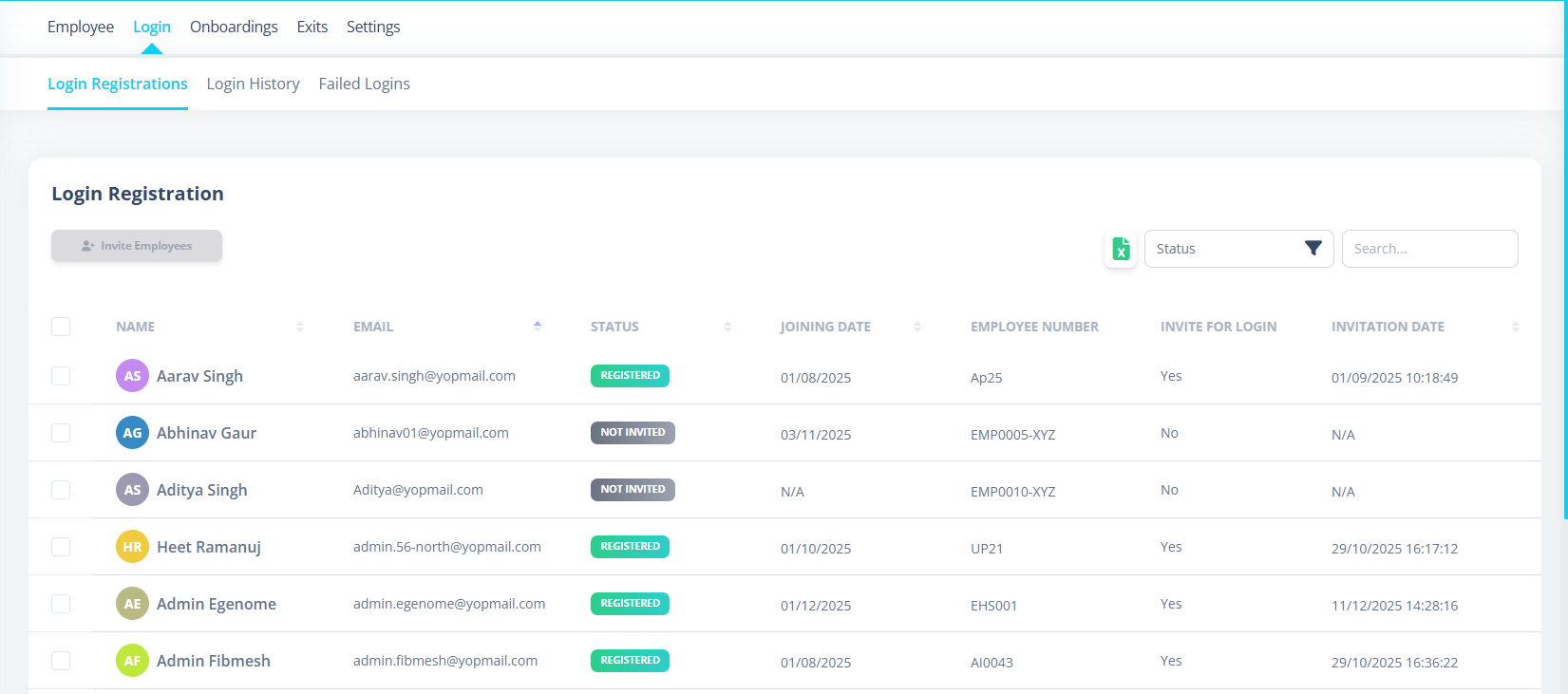
This tab manages employee login access.
What It Shows
Each employee row displays:
- Name
- Status (Invited / Registered / Disabled)
- Joining Date
- Employee Number
- Invite for Login (Yes/No)
- Invitation Date
- Actions (View)
Invite Employees
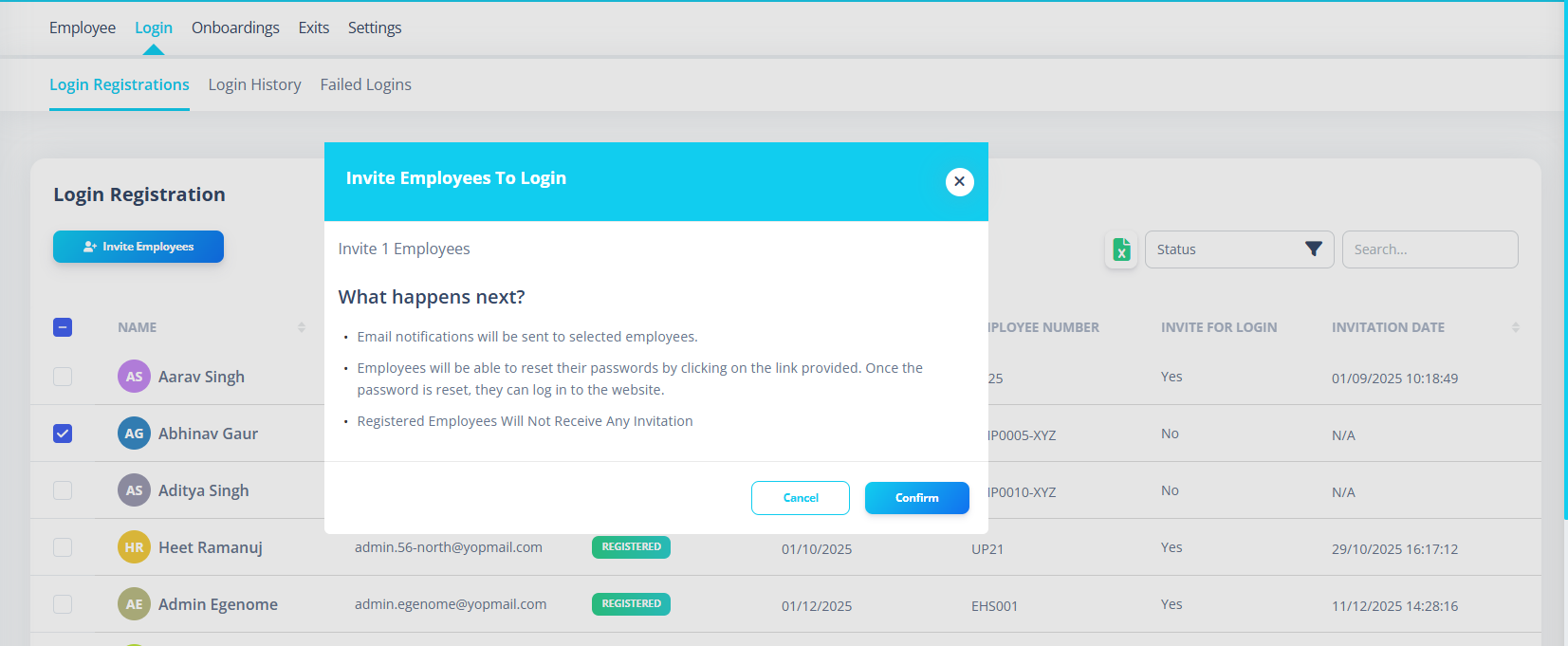
Admins/HR can:
- Select multiple employees
- Click Invite Employees
- Confirm action
- Send login invitations via email
What Happens Next?
- Email invitation is sent
- Employee receives password reset link
- Already registered employees do not receive invite
Export Excel
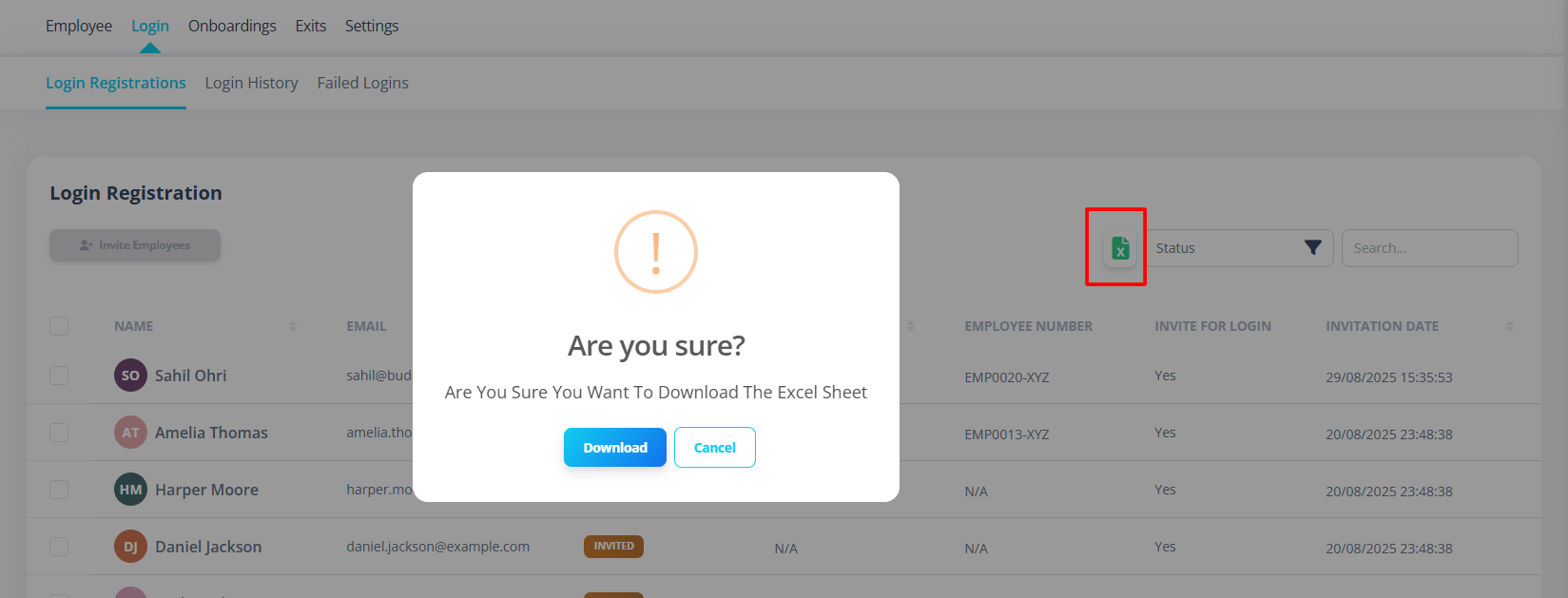
Users can export login registrations:
- Applies current search
- Applies selected filters
- Confirmation required
- Downloads
login-registrations.xlsx
2️⃣ Login History
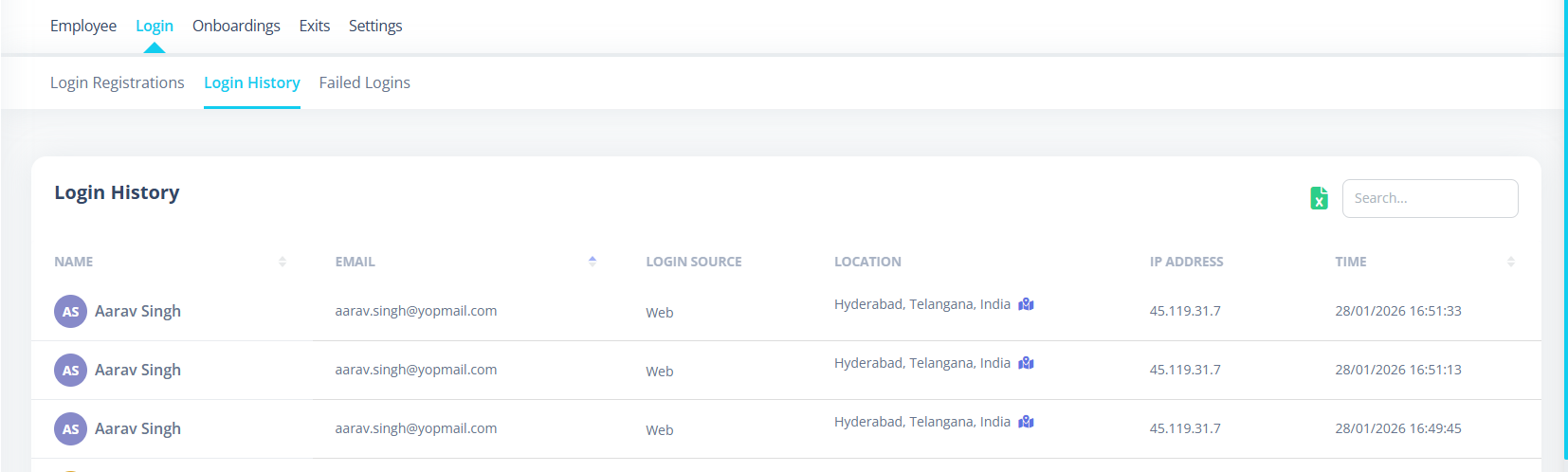
This tab tracks successful login activity.
What It Displays
Each record includes:
- User Name
- Login Source (Web / Mobile)
- IP Address
- Location
- Login Time
- Logout Time
- Duration
Login & Logout Pairing
System transforms:
- Login entry
- Logout entry
Each shown as separate rows.
Sorted by latest time.
Duplicates are automatically removed.
Location Tracking
If GPS coordinates exist:
- Map icon appears
- Clicking opens location modal
- Shows:
- Latitude
- Longitude
- Full Address
- Login Time
- Logout Time
- Duration
If coordinates missing:
- Shows "Location coordinates not available"
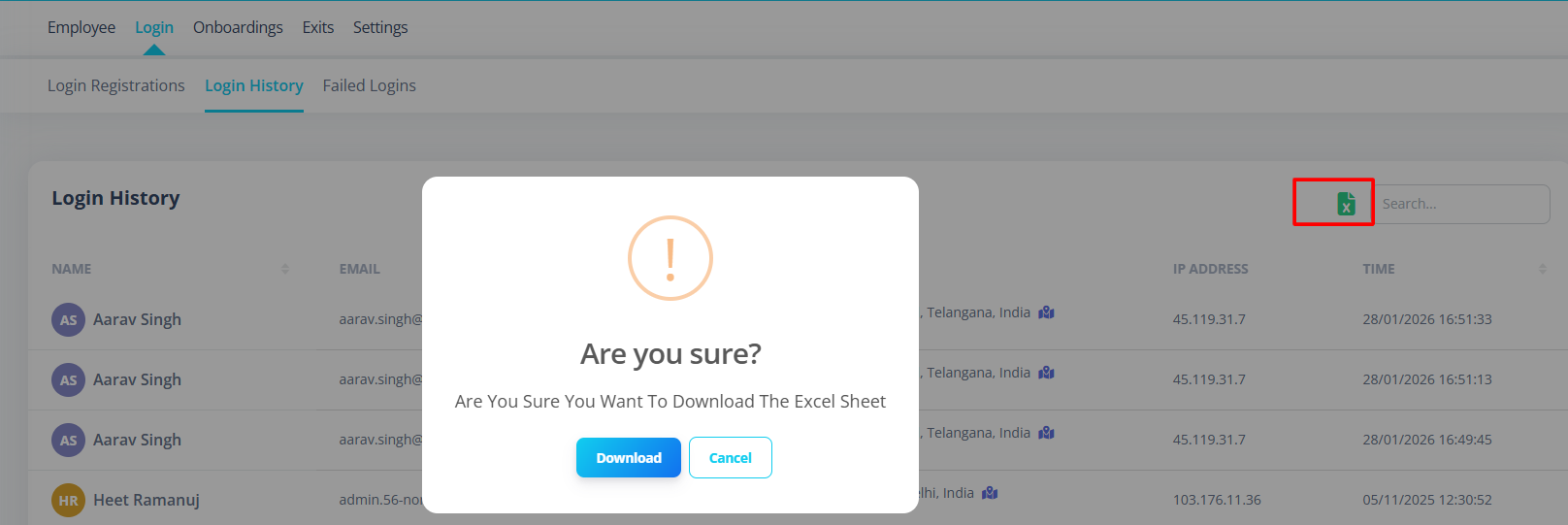
Export Login History
Exports:
login-history.xlsx
3️⃣ Failed Logins
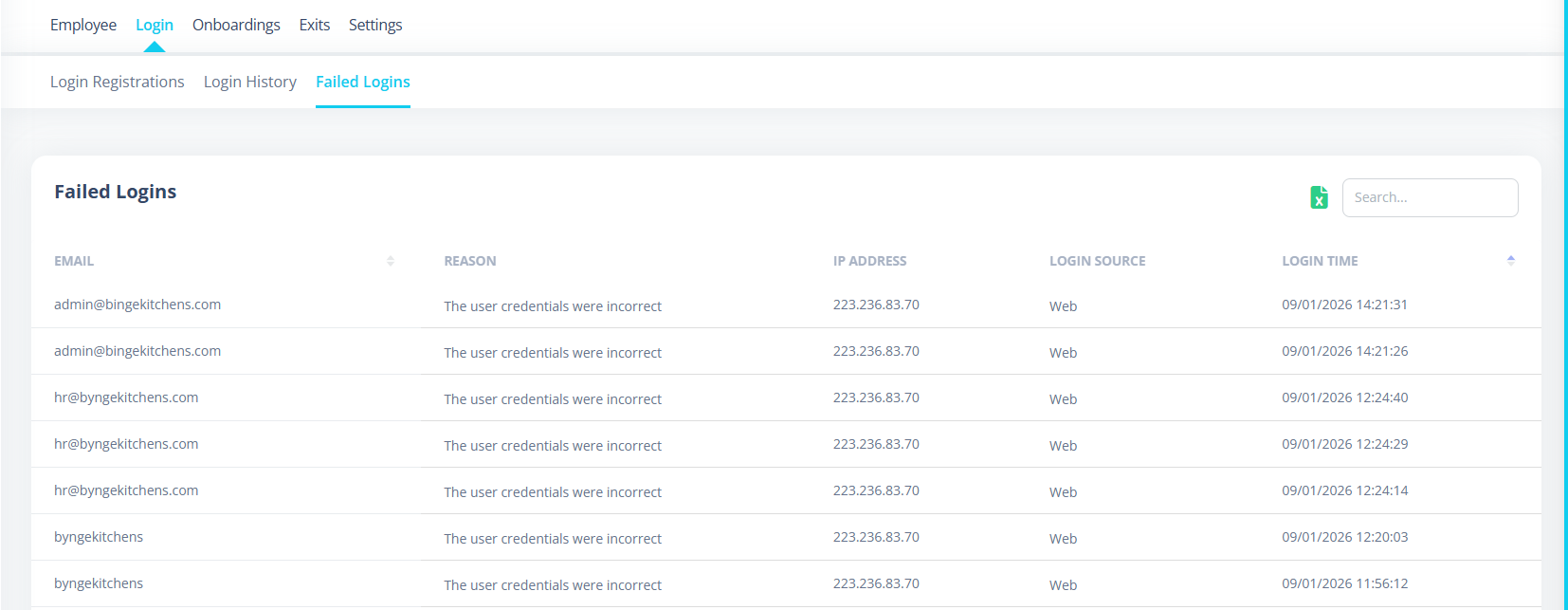
This tab monitors failed login attempts.
What It Shows
Each record includes:
- Failure Reason
- IP Address
- Login Source
- Login Time
Failure Reasons
System translates common reasons:
| Backend Reason | Display |
|---|---|
| auth.invalid_user | Unregistered User |
| Incorrect credentials | Incorrect User Credentials |
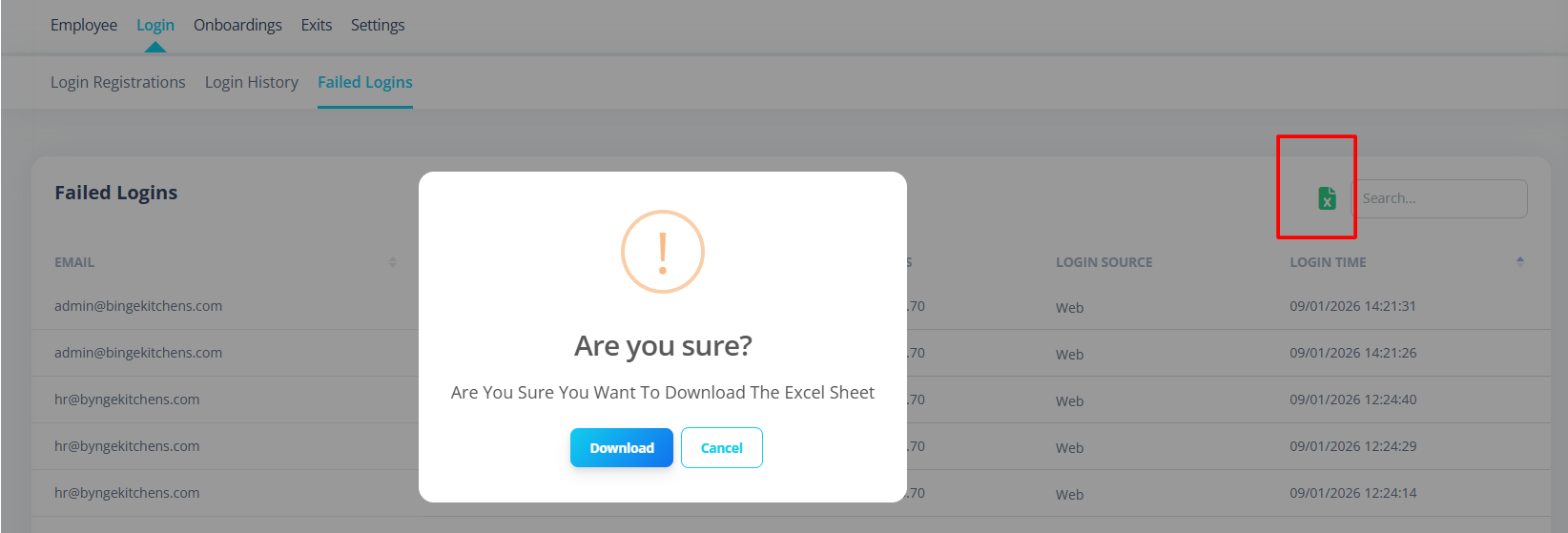
Export Failed Logins
Exports:
failed-logins.xlsx
Security Benefits
The Login Module helps:
- Track suspicious login attempts
- Monitor unauthorized access
- Audit employee login patterns
- Track IP usage
- Detect brute force attempts
Common Issues
| Issue | Cause |
|---|---|
| Invite button disabled | No employee selected |
| Export disabled | No data available |
| Map icon not visible | No GPS coordinates |
| Login status incorrect | Employee not registered |
| Duplicate login rows | Backend returning duplicates (system filters them) |
First-Time Setup Guide
To use Login Module:
- Create employees
- Assign valid email addresses
- Grant required permissions
- Invite employees
- Monitor login activity
Best Practices
- Regularly review failed logins
- Disable login for inactive employees
- Use filters to audit invitation status
- Monitor IP addresses for anomalies
- Export login history for audits
Summary
The Login Module provides:
- Employee login access management
- Secure invitation workflow
- Successful login tracking
- Failed login monitoring
- Location tracking with map view
- Excel export for audit
- Permission-based access control
It ensures transparency, security, and access governance across your HR system.